

Desk Setup Tips for Focus and Comfort
jefulea.pro >> Productivity>>Workspace>> Desk Setup Tips for Focus and Comfort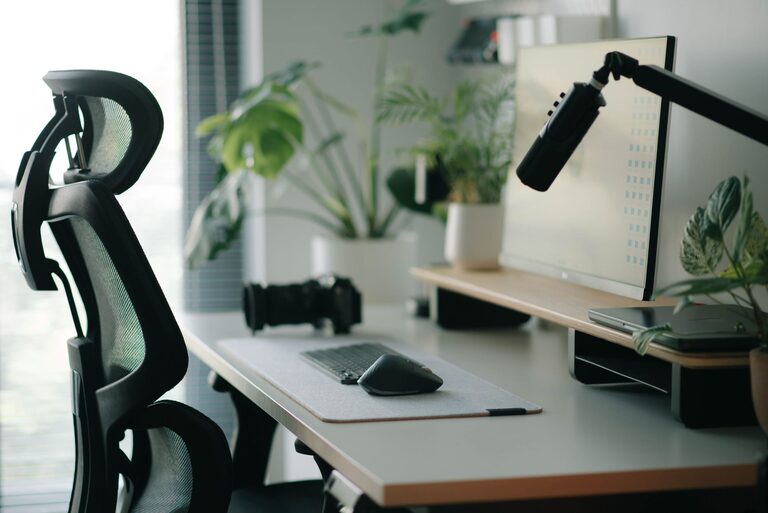
Desk Setup Tips for Focus and Comfort
Creating the perfect desk setup can significantly improve your focus and comfort during work or study sessions. Whether you’re working from home or in an office, a well-organized and ergonomic workspace helps reduce distractions, prevent fatigue, and increase productivity. In this post, we’ll explore practical tips to help you design a desk setup that supports your best work.
Why Your Desk Setup Matters
Your workspace influences how you feel and perform throughout the day. An uncomfortable chair or cluttered desk can lead to distractions and physical discomfort, which can reduce your ability to concentrate. On the other hand, a thoughtfully arranged workspace promotes better posture, minimizes strain, and encourages an efficient workflow.
Choosing the Right Desk and Chair
Desk Height and Size
A desk that fits your body size and work needs is crucial. Standard desk heights range from 28 to 30 inches, but adjustable desks allow you to customize your setup for better posture. Make sure your desk has enough surface area to hold your computer, keyboard, notepad, and any other tools you frequently use without feeling cramped.
Ergonomic Chair
Investing in a supportive chair can make a big difference. Look for a chair with adjustable height, lumbar support, and padded seating. Your feet should rest flat on the floor or a footrest, and your knees should be at roughly a 90-degree angle.
Monitor and Screen Placement
Positioning your computer monitor correctly reduces eye strain and neck pain. The top of your screen should be at or slightly below eye level. Place the monitor about an arm’s length away, so you don’t have to lean forward or squint.
If you use multiple screens, arrange them side by side, with the primary display centered in front of you. Consider using monitor stands or risers to achieve the ideal height.
Keyboard and Mouse Positioning
Prevent wrist and arm fatigue by placing your keyboard and mouse so that your elbows stay close to your sides at a 90-degree angle. Your wrists should be straight, not bent upwards or downwards. Wrist rests can provide added support, but avoid resting your wrists on them while typing.
Organizing Your Desk for Productivity
Declutter Regularly
A clean desk can help clear your mind. Remove unnecessary items and keep only what you need daily within reach. Use drawers, shelves, or organizers to store supplies and documents.
Use Desk Organizers
Trays, pen holders, and filing systems keep your desk tidy and make it easier to find what you need quickly. Label storage containers for easy identification.
Cable Management
Tidy cables reduce mess and prevent tangling. Use cable clips, sleeves, or under-desk trays to keep cords out of sight and safely organized.
Lighting Tips for Comfort and Focus
Natural light is ideal when it’s available. Position your desk near a window but avoid glare on your screen. For artificial lighting, use a combination of overhead lights and desk lamps to reduce shadows and eye strain. Adjustable lamps help focus light where you need it most.
Adding Personal Touches Without Distraction
Decorate your workspace with a few personal items like photos, plants, or artwork to make the area inviting. Plants, in particular, improve air quality and can boost mood. However, avoid overdecorating to maintain a clean and distraction-free environment.
Taking Breaks and Staying Active
Even with an excellent desk setup, it’s important to take regular breaks. Stand up, stretch, or walk around every 30 to 60 minutes to reduce muscle tension and refresh your mind. Some adjustable desks allow you to alternate between sitting and standing positions for added comfort.
Summary Checklist for Your Desk Setup
– Choose a desk and chair that support good posture
– Position your monitor at eye level and at a comfortable distance
– Keep keyboard and mouse close with proper wrist alignment
– Organize your workspace to reduce clutter and increase efficiency
– Ensure good lighting, balancing natural and artificial sources
– Add minimal personal touches to make the space welcoming
– Remember to take regular breaks and move throughout the day
By taking these steps, you can create a desk setup that encourages focus, comfort, and productivity. Small changes in your workspace can lead to big improvements in how you work and feel each day.
Related Post